Every Way to Share an ARIS Detect Report, Without Losing Quality
Full quality, compressed, or a Client Report Pack. However big the report, there is now a way to send it.

The Problem With Great Reports
A thorough roof report is a large file. Forty-plus inspection photos, annotated images, plans and 30-odd pages add up fast, and most email servers and insurer portals cap attachments at 25MB.
100MB+
What a detailed, full quality roof report can reach
25MB
The attachment cap on most email servers and insurer portals
Until now that left you with a bad choice: strip photos out, split the report, or chase a file-sharing workaround your client may not trust.
Shareable download links solved part of the problem, but customers told us some insurers and clients run upload portals that only accept a PDF. A link on its own will not get the report lodged.
With ARIS Detect, you don't have to choose. Every report now comes with a sharing option that fits, whatever its size.
How it works
The Right File for Every Destination
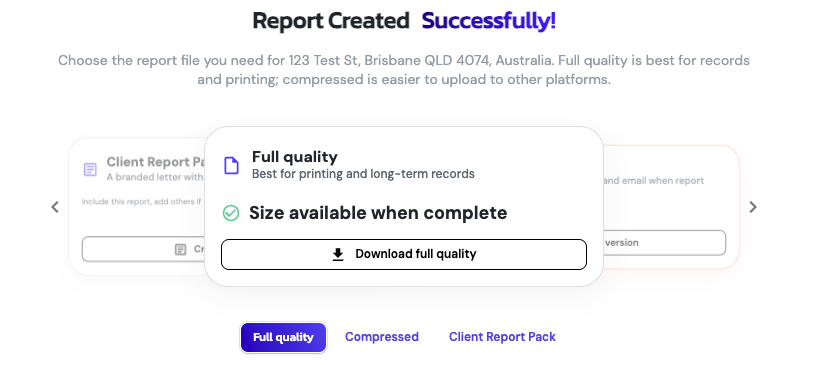
When your report is ready, ARIS Detect checks the size of the full quality file and gives you the right way to send it. No guesswork, no bounced emails, no portal upload errors.
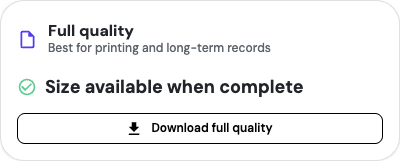 01Report under 25MB
Full quality
- What you get
- The full quality report, cleared to send as is.
- Use it for
- Email attachments and portal uploads.
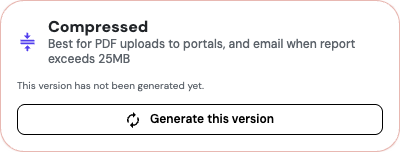 02Report over 25MB
Compressed
- What you get
- An optimised version under 25MB that keeps photos clear and measurements intact. Generate it in one click when you need it.
- Use it for
- Email and portals with size limits.
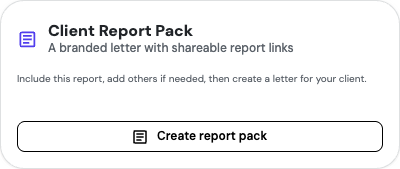 03Too large to compress under 25MB
Client Report Pack
- What you get
- A short, branded PDF on your letterhead with a secure link to the full report.
- Use it for
- Any portal or email, every time.
Client Report Pack
One Pack, Multiple Reports
The Client Report Pack goes further than a single report. You can include links to multiple reports in one pack, which suits multi-building jobs, staged inspections, or sending a claim's full report history in one upload.
Start from any finished report, add the others you need, and ARIS Detect creates a branded letter for your client with a secure link to each one. Because the letter itself is a short PDF, it uploads where a 100MB report would bounce.
Roof iQ Report
Full quality report
Takeoff Report
Full quality report
Follow-up inspection
Full quality report
Client Report Pack
One short PDF on your letterhead, with a secure link to each report
Need something quicker?
Every report also has a shareable link you can send by email or text in seconds. Your client opens the full quality report straight from their phone or desktop.
Why it matters
Your Evidence, Delivered Intact
Insurers, builders and property managers judge your work on the evidence. A report with missing photos or a failed upload slows approvals and leads to costly call-backs.
For insurance repairers
The Client Report Pack means a report uploads to the claims portal on the first attempt.
For roofers and inspectors quoting work
A shareable link gets the full report in front of a homeowner without delay.
Either way, you send the complete picture without trimming the detail that backs up your assessment.
See it in action
Built into every Roof iQ and Takeoff report
Subscribers simply generate a report and choose how to send it.
Not a subscriber yet? Book a 20-minute demo and we'll walk you through a real report from inspection to inbox, including every sharing option.
Our Articles
Why Insurance Companies Are Right to Be Sceptical of Drone Roof Reports
A lot of what passed as drone roof inspection was genuinely bad work. Here is why insurer scepticism is justified, and why a qualified drone-first workflow answers every concern.
Read article →
Drone Roof Inspection Guide
Step-by-step guide to capturing roof inspection photos with a drone, from drone choice and CASA rules to damage close-ups.
Read the guide →
Introducing Roof Takeoff Reports in ARIS Detect
A new semi-automated measurement tool that turns drone or satellite imagery into accurate, ready-to-quote roof reports in minutes.
Explore Takeoff →